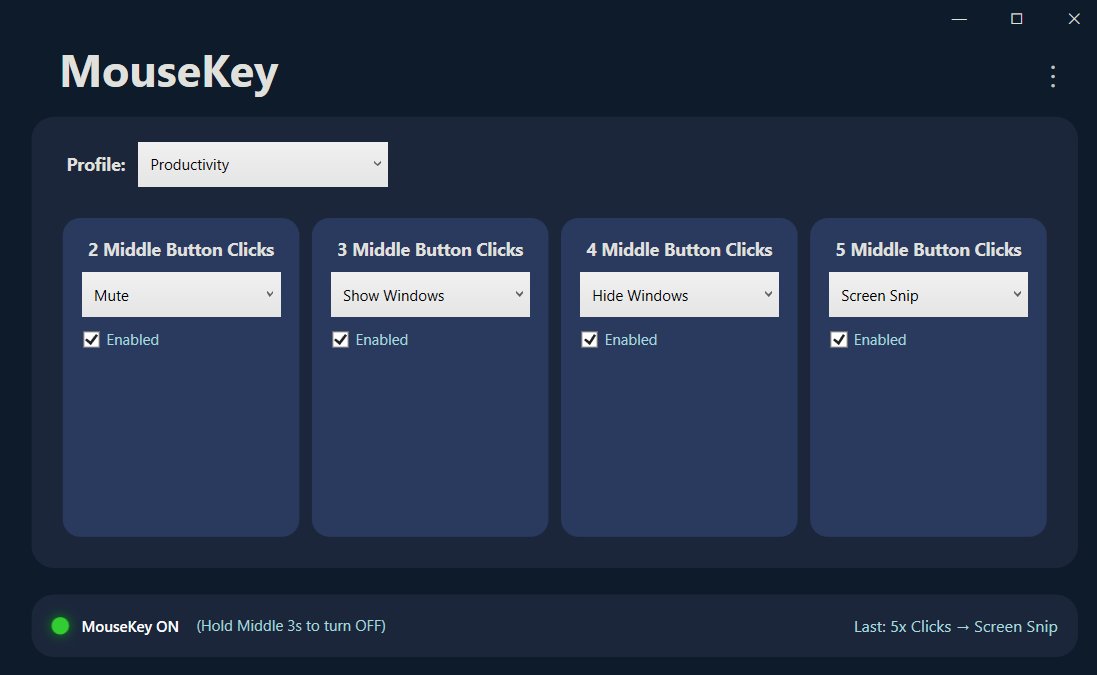
The big change: any button, any mouse
MouseKey 1.0 focused on the middle mouse button with 2–5 click patterns. Version 2.0 removes that limitation entirely. You can now assign actions to any mouse button — Middle, Back, Forward, Tilt Left, Tilt Right, Scroll Up, Scroll Down, and even custom-numbered buttons that your mouse software might not even recognize.
This means MouseKey now works as a complete replacement for manufacturer software like Logitech G Hub, Razer Synapse, Corsair iCUE, or X-Mouse Button Control. Except it's faster, lighter, and works with every mouse brand.
5 actions from a single button
The click cadence system — the core feature that made MouseKey unique — now applies to every button. Each button can respond to 1 through 5 rapid clicks, with each cadence triggering a completely different action.
Do the math: a standard three-button mouse (left, right, middle) gives you up to 15 programmable shortcuts without touching a single extra button. A gaming mouse with side buttons? The possibilities multiply fast.
Example setup: Middle button → 1 click = Copy, 2 clicks = Paste, 3 clicks = Undo, 4 clicks = Screen Snip, 5 clicks = Mute. That's five keyboard shortcuts replaced by one button.
A lean alternative to overcomplicated mouse software
If you've ever dealt with G Hub refusing to detect your mouse, Synapse demanding a cloud account, or iCUE eating 400MB of RAM, you know the pain. MouseKey takes a different approach:
- No proprietary hardware lock-in — works at the system level with any brand
- No cloud accounts — fully offline, zero telemetry
- No 500MB installer — lightweight, instant startup
- No learning curve — add a button, pick an action, done
For power users who've been fighting with those tools for years, MouseKey is the replacement you didn't know existed.
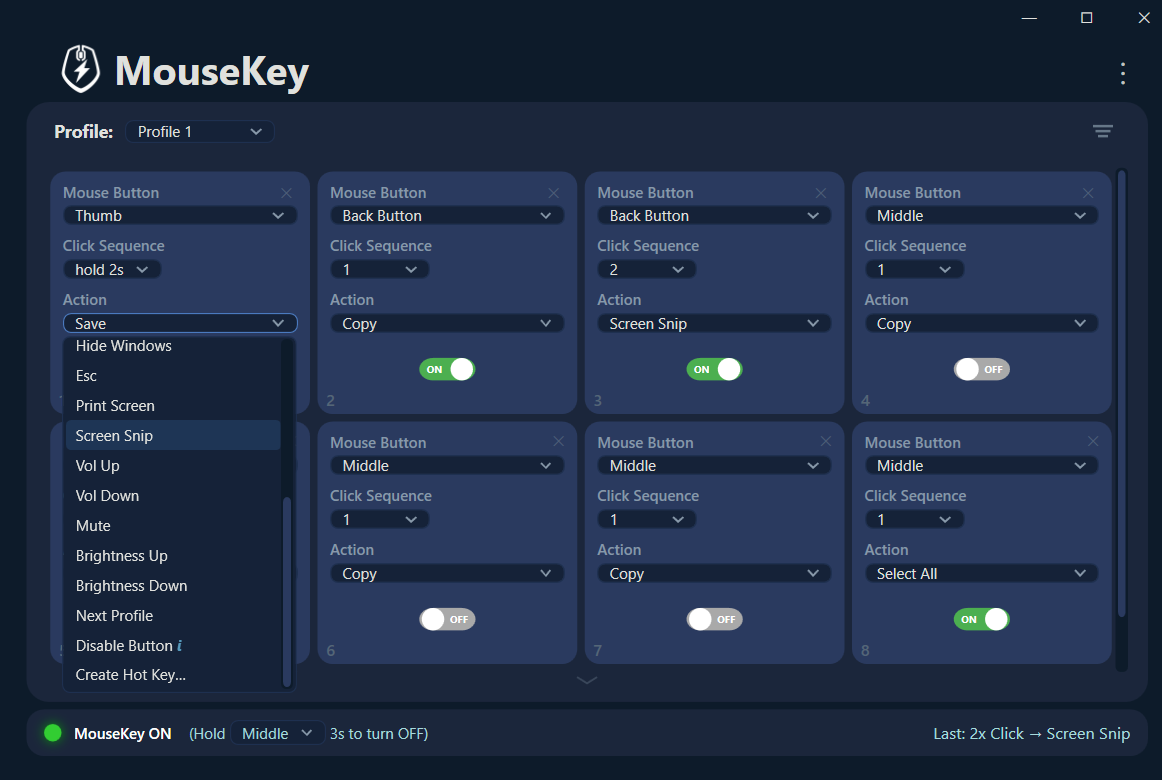
What else is new in 2.0
Beyond the headline features, version 2.0 includes several improvements under the hood:
- Redesigned configuration UI — add and remove button slots dynamically with the + button
- Improved startup reliability — faster launch, fewer edge cases on resume from sleep
- Reduced system footprint — less memory usage in the background
- Better button detection — support for extended mouse buttons beyond the standard five
Who benefits most
Office workers can assign clipboard actions, window management, and mute/unmute to spare buttons and stop reaching for the keyboard mid-workflow. Developers can trigger build commands, terminal shortcuts, and text snippets without leaving the mouse. Gamers get extended mouse capabilities without installing a manufacturer's buggy suite. And power users can build a fully custom input layer tailored to exactly how they work.
Upgrading from 1.0: The update is automatic through the Microsoft Store. Your existing profiles will continue to work. New button slots can be added alongside your existing middle-button configurations.
Try it out
MouseKey 2.0 is available now on the Microsoft Store for Windows 10 and 11. If you're coming from G Hub, Synapse, X-Mouse, or any other mouse software, you'll be set up in under a minute.
Get MouseKey 2.0
Smart buttons for any mouse. Up to 5 actions per button. Set up in under a minute.
⊞ Get MouseKey on Microsoft Store