MouseKey. Remap and Add More Mouse Buttons.

Add more smart buttons to any mouse. Using click cadences, you can map up to 6 actions for any button, even the left and right buttons. Single click, double click, triple click, hold. Each fires a different shortcut. Works with any mouse, any brand.

A lean alternative to buggy mouse software without the learning curve. Just fast, precise button mapping.

Download for Windows Download on Microsoft Store
6
Actions Per Button
Any
Mouse Brand / Model
★★★★★
7 Reviews
0%
Data Collected
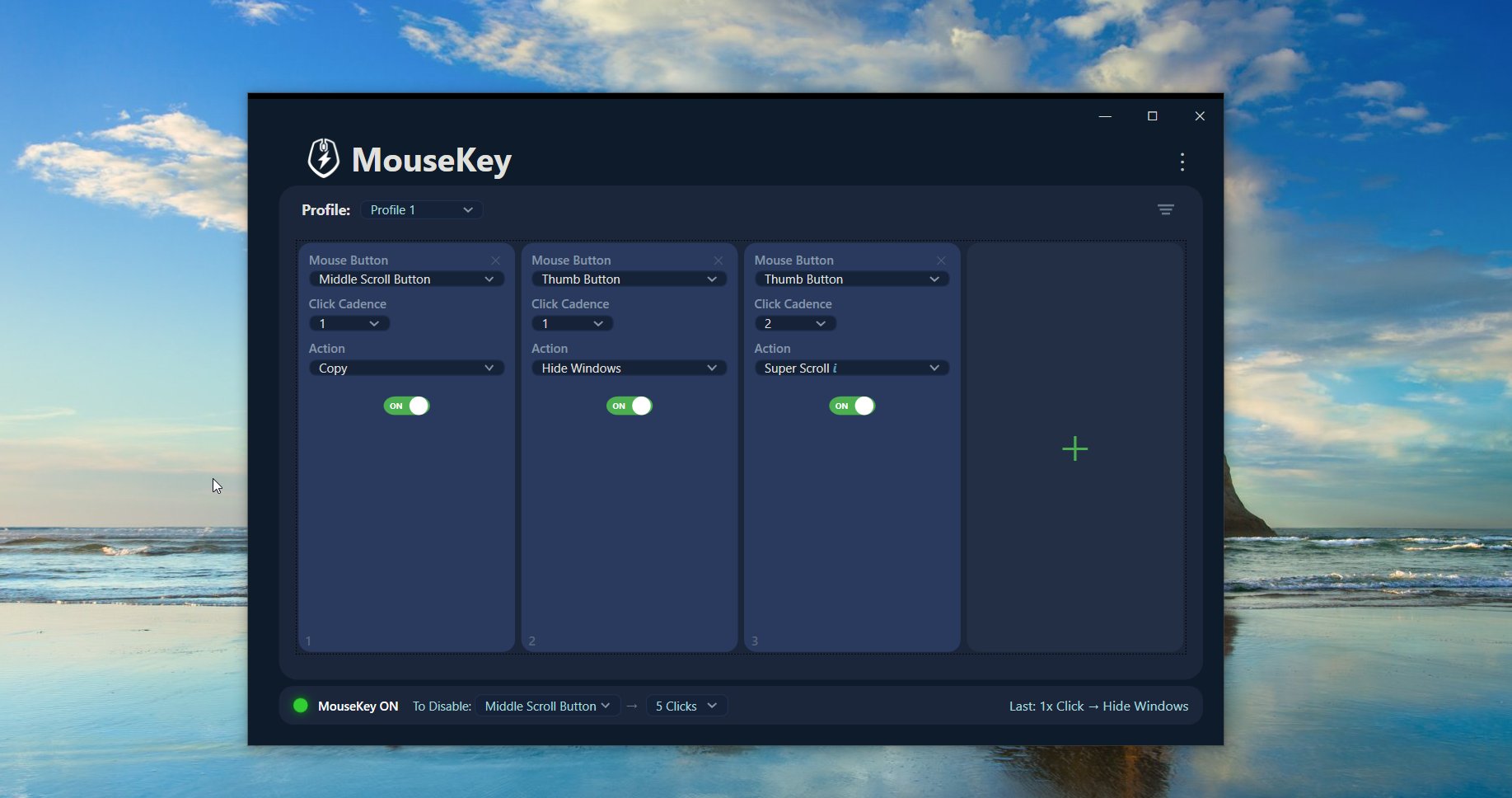
MouseKey 2.2 main window showing button slots with Middle Scroll Button, Thumb Button, and Super Scroll configured across multiple click cadences
MouseKey 2.2 Main Window
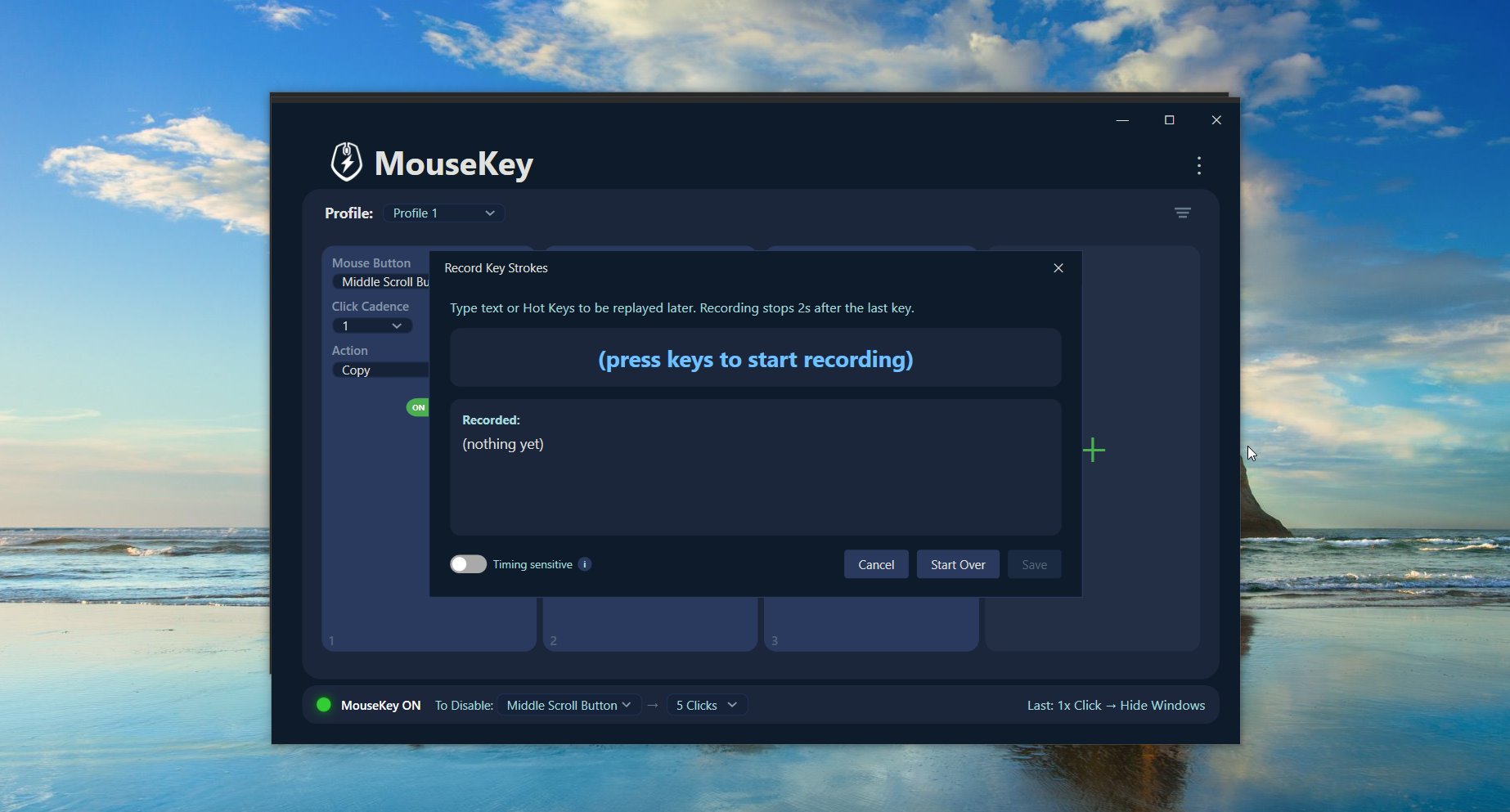
MouseKey Record Key Strokes dialog with timing sensitive toggle, start over, and save buttons
Record custom hotkeys or type text to replay
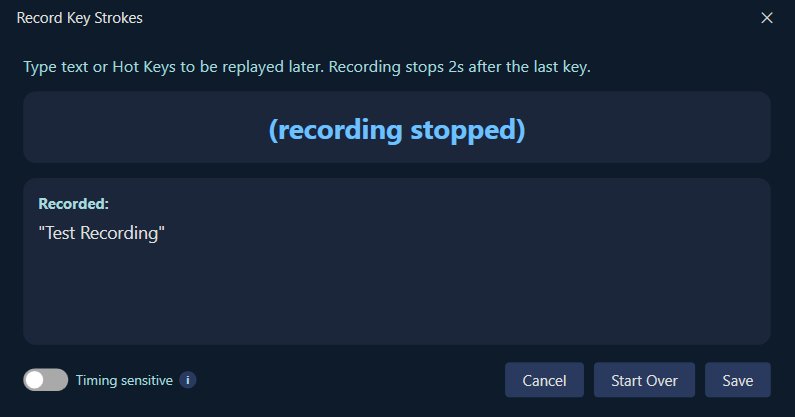
MouseKey macro recording showing a captured text string ready to save
Timed or instant playback for macros and text

More actions. Less hardware. Zero complexity.

Using a basic mouse? Smart actions can be created using the middle scroll button, left, and right buttons with holds and multi-clicks. Using a gaming mouse? Set as many smart actions as you can. Set profiles to switch automatically for any chosen app.

6 Actions Per Button

MouseKey's click cadence system lets you assign a different action to 1, 2, 3, 4, and 5 clicks on any single button, plus a 2-second hold for a 6th action.

ANY

Works With Any Mouse

MouseKey intercepts input at the system level. No proprietary drivers, no brand lock-in. If your mouse has buttons, MouseKey can remap them. Even custom and extra buttons.

<1s

Lean & Instant

No background services eating RAM. No cloud accounts. No 500MB installer. MouseKey is a single lightweight app that launches fast and stays out of your way.

Everything you need. Nothing you don't.

22 built-in shortcuts ready to go. Copy, paste, undo, screenshot, volume controls, and more. No scripting or memorizing hotkeys. Set up a profile in under a minute.

Click Cadences + Hold

1 to 5 clicks, plus a 2-second hold. Each pattern on any button triggers a different action. 6 actions per button, including left and right.

Custom Hotkeys and Macros

Record your own keyboard shortcuts or multi-step macros. Optional timing-sensitive playback preserves your original pace between keystrokes.

Auto Profile Switching

Create unlimited profiles. Link them to apps so MouseKey switches automatically when you change windows. No manual toggling.

System Controls

Adjust volume, brightness, pointer speed, and scroll speed from any button. Super Scroll for faster scrolling. Switch left and right buttons.

100% Offline and Private

No telemetry, no analytics, no account. Your data stays on your device. MouseKey does not require network access to function.

Button Reassignment

Remap any mouse button to act as a different button. Disable buttons you don't want. Runs minimally in the background from the system tray.

A better alternative to overcomplicated mouse software.

Tired of G Hub crashing, Synapse eating RAM, or X-Mouse's learning curve? MouseKey does the useful stuff without the pain.

MouseKeyG Hub / Synapse / iCUEX-Mouse
Works with any mouse brand✓ Yes✗ Brand-locked✓ Yes
Multi-click cadence actions✓ Up to 6✗ No✗ No
Simple setup (under 1 min)✓ Yes✗ Complex✗ Steep curve
Lightweight / low resource✓ Minimal✗ Heavy✓ Light
No account / no cloud✓ Offline only✗ Account needed✓ Offline
Zero telemetry✓ None✗ Sends data✓ None
Crash-free / stable✓ Solid✗ Known issues~

6 actions from a single button.

Each button can respond to 1 through 5 rapid clicks, plus a 2-second hold, each triggering a completely different action. A basic three-button mouse gives you up to 18 programmable shortcuts.

Click speed is similar to a standard double-click. Fast enough to feel natural, slow enough to be comfortable. If you click too slowly, nothing fires. You're always in control.

×1Copy
×2Paste
×3Undo
×4Screen Snip
×5Mute Audio
HOLD
2sLaunch App

From the office to the battlefield.

💼 Office Workers

Assign clipboard actions, window snapping, mute/unmute, or app switching to spare buttons. Stop reaching for the keyboard mid-workflow.

💻 Developers

Trigger build shortcuts, terminal commands, text snippets, or debugger actions without leaving the mouse. Speed up your entire dev loop.

🎮 Gamers

Extend your mouse's capabilities without installing a manufacturer's buggy suite. Add actions to buttons those apps can't even see.

Power Users

Build a fully custom input layer tailored to exactly how you work. Replace G Hub, Synapse, or X-Mouse with something that just works.

Up and running in under a minute.

Install

Download the portable version or get MouseKey from the Microsoft Store. No account required.

Add Buttons

Click + to add button slots. Select any mouse button from the dropdown, even custom ones.

Assign Actions

Pick from presets or record custom hotkeys. Set the click cadence (1 to 5 clicks) for each action.

Done

MouseKey runs in the background. Your mouse is now supercharged.

What real users say.

★★★★★
"I'm leaving x-Mouse Button for this"
After 2 weeks of continual usage, it seems like an upgrade from X-Mouse Button. What I like about mousegesture is the unique feature that you can map specific click cadences. I also like that this app is being actively developed whereas x-mouse feels like it has been left in the dust.
Geb
★★★★★
"A better G Hub"
I was previously using G Hub and I found this software much more powerful and easier to use. I found that on mousekey.site.
William
★★★★★
"Simple and Effective"
Simple, effective, and easy to use. It does exactly what I need without making things complicated. The layout is straightforward and everything works smoothly. Great app overall!
Damien
★★★★★
"Works well and user friendly"
This simple app allowed me to add a few buttons to my mouse by using the double click feature. I thought setup was easy and very user friendly.
Valerie
★★★★★
"Great app to save time and increase productivity"
I love this new app that allows me to use short cuts on my mouse and customize to my needs. And it lets me switch between workflows as I need. This increases my productivity and is very user friendly.
🇺🇸 United States
★★★★★
"Saved my Ctrl+C & V keys"
After a little bit of training exercise (just few minutes) the two and three clicks have been done automatically. A nice option are the custom keys. Put a text string or mute your audio output. A really nice tool. Top.
🇩🇪 Germany

Your data never leaves your device.

No Data Collection

No telemetry, no analytics, no advertising identifiers. MouseKey does not collect, transmit, sell, or share personal data.

No Network Access

MouseKey does not require network access to function. Zero background communication.

Local-Only Input Handling

Keyboard input is recorded only when you explicitly use "Create Hot Key." No continuous logging.

Local Configuration Storage

All settings stored locally under your Windows profile. Nothing ever leaves the device.

Getting started with MouseKey 2.2

Adding & Configuring Buttons

Click the + button to add a new slot. Select any mouse button from the dropdown: Middle, Back, Forward, Tilt Left/Right, Scroll, or any custom button your mouse has. Choose a click sequence number (1 to 5) and assign an action from the presets or record a custom hotkey.

Click Cadences

Each button slot has a Click Sequence setting. Setting it to 1 means single-click triggers the action. Setting it to 2 means double-click, and so on up to 5. You can also assign a 2-second hold action for a 6th shortcut per button. You can have multiple slots for the same button with different click sequences, giving you up to 6 distinct actions per button.

Custom Hotkeys & Macros

Select "Create Hot Key…" from the Action dropdown to record keyboard shortcuts (like Ctrl+C or Alt+Tab) or text strings. Once saved, the custom action becomes available in the current profile.

Turning MouseKey ON or OFF

Hold your chosen disable button for 2 seconds to toggle MouseKey on or off. You can configure which button triggers this in the app settings. When disabled, all buttons return to normal. Re-enable anytime from the system tray icon or by holding the same button again.

Security Best Practice

When recording custom macros, do not record passwords, PINs, or authentication codes. Recorded macros replay input exactly as captured. MouseKey does not transmit or share recorded input.

Common questions

Yes. MouseKey works at the system level and intercepts mouse input regardless of brand, model, or driver. Any mouse with buttons works. No proprietary hardware needed.
G Hub and Synapse only work with their own brand's hardware and are known for being heavy, buggy, and requiring cloud accounts. MouseKey works with any mouse, is lightweight, fully offline, and gives you click cadence actions that those apps can't do.
Version 2.2 adds per-profile pointer and scroll speed settings, Super Scroll toggle hotkey, system controls for volume and brightness, and adjustable hold duration. Earlier 2.x releases added hold-to-trigger actions (6 actions per button), timed macro recording, button reassignment, auto profile switching, and unlimited profiles.
Only buttons you configure are intercepted. You can toggle MouseKey off by holding your chosen disable button for 2 seconds and all buttons return to normal function instantly.
Windows 10 (version 1903+) and Windows 11. MouseKey is a native desktop app built with WPF and .NET 8.
MouseKey uses documented Windows APIs. On managed devices, security software may restrict input automation tools. Check your organization's policy before installing.

Ready to supercharge your mouse?

Works with any mouse. Up to 6 actions per button. Built for office workers, developers, gamers, and power users.

Download for Windows Download on Microsoft Store